Showing posts with label Blogging. Show all posts
One of the biggest mistakes that every blogger made is. Whenever we create article for the blog post, we went to publish the post as soon as possible without keeping audience mind.

A perfect blog post is one that is:

  •          Easy to read – use of paragraph, headlines & bolds
  •          Visually appealing – good images
  •          Traffic generating – link within
  •          Easily searchable – good seo
  •          Susceptible to interaction – comments

Before Publishing your next blog post, check your post is it reachable or not. In this post I’m sharing 5 things that should be include in your blogpost to engaging, easy to read and seo friendly of post.


Create a Catchy Title

A catchy headline is most important because most of us make the decision about whether or not we’re going to read a blog post based on that headline only. Your post title is what will not only be seen on your blog, but on social media networks, and in search engines. Search engines loves headlines for blogs that answer a specific question when a user types quires into the search engine. make it easy on your readers. Make them want to come back for more! Make them think that your blog really is any easy blog to read.
People are attracted to catchy titles, so make your titles catchy.

Include Images in your Post

Include One to Two images in your blog posts. Yes, it takes a few more minutes, but it’s really worth it! Images also help to make your post to reach wide range of community. With including images in your blogposts, you can promote your content by using image sharing sites like Pinterest and Flickr, social networking communities.
Always keep in mind that images are copyrighted, so use your own images on your blog posts. 

Link to older Posts

Never Publish your blog post without including links to your old posts. Whenever you are publishing a post include links to your older posts as a reference. It will increase your indexing rate as well as reader will get some more information on their chance.
When you insert links in your post, link to relevant topics. It will increase user engage rate and time spent on your blog.  

Use Header Tags

In any of blog the header tags will be H1 – H6. When you publish the post at least 2 to 3 Header tags. Using header tag will help to break your content as well as it will increase your keyword rankings in search engines. 
Never Repeat H1 tag multiple times in a single post.

Optimize for search engines

How do you optimize for search engines? Optimizing blogpost to get rank well in major search engines, make sure complete all the meta data such as meta title, description, keywords and other algorithm related things. When filled out with the proper keywords and meta data for social networks, this tells search engines what your post is all about.
Never Copy Use same meta data for all blogposts.

Not but not least! at the end of your post ask a query related to post or engage with their involvement.
Do you think I’m I missing anything? What’s something includes in your blog posts? Share your thoughts with me! 

Blogpost Checklist: 5 Things that should be in your Blogpost

One of the biggest mistakes that every blogger made is. Whenever we create article for the blog post, we went to publish the post as soon ...
To Day I’m going to share How to promote your blog posts by using various techniques. Promoting your blog posts is most important to get relevant traffic for your website. Some people have so much success with their content marketing strategies that they have hundreds of thousands of readers by sharing their posts in social networking sites.

However good blog content can drive traffic from search engines, social shares, and referrals from other websites.in this post I have covered some of the more advanced techniques for promoting your content. Following are 10 ways you can promote your blog post immediately after you publish it to increase traffic to it quickly.


Share on Social Networking sites

Social media is most powerful to promote your blogposts. you shouldn’t have missed to share your content after publishing your content on your website. Once a post goes up on our blog, post a short paragraph and then a link to the post on major social networking sites such as google+ page, Facebook page, twitter and LinkedIn page, etc. while promoting your post don’t forget to link your blogpost.

Email Your Subscriber

Hopefully, you’re already building an email list of your subscribers. Sending out a newsletter while publishing your new blogpost is a great way to grow a more personal relationship with your readers while promoting your content at the same time. Make sure you include a snippet along with the link to entice them to click through and read the complete blog post.

Here You can find 5 Ways to Collect Email Addresses from Your Blog

Share the Post on Social Bookmarking Sites

There are many sites out there that allow readers to submit their content for promotion. There is a huge community on social bookmarking websites that they love to spend time on the Internet. Share your blog posts with the community people, while sharing your content posts in on relevant categories and sub-categories.

Share Blog images by Image Sharing

Next, promote your blogposts by images and post it up on Pinterest, flicker and Instagram.  If you’ve created multiple images on your posts then schedule it to post in certain time intervals. By using Eye-catching images in blog posts, you will get chance to get more traffic by promoting your images.

Share the Post to Social Groups

Social Networking Groups are another excellent place to promote your blog content. You’re likely a member of some networking groups related to your industry already, but if you’re not, do a quick search and find some to join. Posts your blog posts with short description on groups. you will get huge engage, be sure to share a link to your blog post. While posting on groups must read the community guidelines. It may require good quality content to posts on the groups.

Participate in Forums

There are many forums where people congregate to talk about specific topics. It’s similar to blog commenting. Participate in the conversation and link back it to your post. Participate in your niche categories, it will drive you visitors to your blog.

Here You can find Popular Forums sites list

Submit the URL to Blog pinging sites

After publishing your blog posts, submit your posts blog pinging sites. it will helps search engines to index your page as quickly as possible. If the blog index in major search engines such as google, Bing. You will get traffic from search engines.

Here You can find Blog pinging websiteslist

Include links in old posts

Inbound linking is most important to decrease your bounce rate and increase time on your blog. Link the posts within your blog to other posts, while inbound links, link your posts to relevant content on your blog. It will help to readers to find more relevant in-depth content on their topics.

Comment on other blogs

Blog commenting may be an old technique, but it will worth. Many blogs now offer a link-back feature on their comments now that allows you to put in a link to your most recent post in your comment. By blog commenting you may get feedback or encouragement on a blog post.

Advertise Your Blog Post

Last but not least, promote your blog posts by advertising on social networking using Facebook, twitter and using searching engines google and Bing. There are many other ways to advertise your blog post such as affiliate and display, etc.


There are many ways to promote your blog, and they’re not limited to what’s included in this post. Share your experience with your content promotion, I would love to hear from you! It will help to expand the list. 

How to Promote Your Blog - 10 Ways to Promote Your Blogposts

To Day I’m going to share How to promote your blog posts by using various techniques. Promoting your blog posts is most important to get r...
A new WordPress user can easily get confused about which plugin to use on their blog because there are plenty of free and premium WordPress plugins are available in WordPress Plugin Repository. Choosing the best plugins for your blog will helps you to get better rankings, visibility and experience on your website. Here I have listed the 15 Essential WordPress Plugins which you need for your blog.
These plugins can easily improve your experience with the WordPress website and will help you to improve both user engagement and retention. So, without wasting much time, Let’s check out the must have WordPress plugins which you must have on your blog.


WordPress SEO by Yoast

WordPress SEO by Yoast brings in all the important SEO related features to your WordPress site. it is the complete website optimization package. It comes with a massive range of features including the ability to add Open Graph data, XML Sitemaps and generate an SEO score on your posts.

Features:

  •          Helpful page analysis functionality.
  •          Basic on page SEO score.
  •          XML sitemap generator.
  •          Edit titles and descriptions in bulk.
  •          Edit .htaccess and robots.txt files.

WP-Optimize

WP-Optimize keeps your blog running smoothly by optimizing your database tables, getting rid of old post revisions, and cleaning unapproved comments and other things you’ve thrown in the trash and all other things which are occupying the database without adding any value to your site.

Features:

  •          Helps your site run faster
  •          Optimize, repair and backup database

Editorial Calendar

Editorial Calendar plugin will give you the ability to visualize when your posts will go live and makes it easy to drag and drop them onto different days. It’s similar to how the calendar within the Edit Flow plugin works but without the extra editorial process functionality.

Features:

  •          Change when a post will go live with the drag and drop interface.
  •          Quick edit function works from within the calendar.
  •          Manage posts for multiple authors.

W3 Total Cache

W3 Total Cache is one of the most popular caching plugins for WordPress. This plugin offers a number of options to optimize your site and if it is configured properly, you will definitely see a difference in terms of performance. this plugin can have a serious impact on load times.

Features:

  •          Database caching.
  •          Object caching.
  •          Browser caching.

Google XML Sitemaps

It’s true that Yoast’s plugin generates a sitemap for you but Google XML Sitemaps make it easier for search engine crawlers to find the important pages and posts of your WordPress site retrieve it more efficiently. Google XML Sitemaps supports all kinds of WordPress generated pages and custom URLs.

Features:

  •          XML sitemap generating.
  •          Search engines index particular post types.
  •          Notifies all major search engines.

Google Analytics Dashboard

Google Analytics Dashboard gives you the ability to view your Google Analytics data in your WordPress dashboard. Not only can you track visits, page views, bounce rate, average visit duration and referrers, but you can also enable advanced settings to track your site’s demographic and interest for advertising as well as analyze shopping behaviors to boost your products’ performance.

Features:

  •          Track visits and page views

iThemes Security

iThemes Security plugin is one of the most effective WordPress plugins for securing your WordPress setup. It’s straight forward to use and has a quick setup that makes a number of important security tweaks with a single click. It gives you over 30+ ways to secure and protect your WordPress site.

Features:

  •          Ban IP addresses and hosts.
  •          Scans for changes to files.
  •          Built in brute force protection.
  •          Malware scanning.

Broken Link Checker

Broken Link Checker monitors the links found in your posts, pages, comments, blogroll, and more. The plugin identifies any broken links that no longer work, missing images, or any redirects.

Features:

  •          Monitors links in your posts, pages, comments, the blogroll, and custom fields.
  •          Notifies you either via the Dashboard or by email.
  •          Prevents search engines from following broken links.

Duplicator

Duplicator nifty little plugin takes the stress out of migrating a WordPress site from one location to another. It enables you to effortlessly copy, transfer or clone an existing WordPress website to another location.

Features:

  •          Transfers WordPress website to another location.

Redirection

Redirection is a WordPress plugin to manage 301 redirections, keep track of 404 errors, and generally tidy up any loose ends your site may have. This is particularly useful if you are migrating pages from an old website or are changing the directory of your WordPress installation. it’s best practice to manually add redirects via the .htaccess file

Features:

  •          Monitor 404 errors.
  •          301 redirects.
  •          Other redirect types supported (301, 302 and 307).

BackWPup

BackWPup is an excellent free plugin to back up your WordPress site data (media files and database) into cloud services like Dropox, FTP, Amazon S3, etc. It’s completely free and simple to use with some very helpful features.

Features:

  •          Supports remote backups.
  •          Easy to use restore function.
  •          Schedule backups to suite you.

Disqus

Disqus is a third party commenting system, which means comments will not affect your server. It does not affect your site’s page speed and comes equipped with anti-spam filters.

Features:

  •          Moderate comments offsite.
  •          Whitelist and blacklist commenters with ease.

SumoMe

SumoMe is a suite of awesome free marketing plugins for WordPress lead generation, audience retention and analytics. SumoMe differs to most plugins in this list because it’s primarily a web based app, which means you can install it on any HTML website.

Features:

  •          Page level targeting
  •          Integrates with most popular email providers
  •          Responsive opt-in forms

Contact Form 7

Contact Form7 is the most popular and free contact form plugin for WordPress. it is very easy to use and provides you all the important features which you need on your contact page.

Features:

  •          Multiple features While creating contact forms

AdSanity

AdSanity is a WordPress ad management plugin focused on ease-of-use. Adding new ads in Adsanity is very similar to adding a post. It comes with widgets and short codes support to display ads, so you can display ads in sidebars, posts and pages.

Features:

  •          Time based ads
  •          Short codes to display ads

I hope this article helped you learn about the must have WordPress plugins for your blog. There are a number of amazing WordPress plugins which are not listed in this list. These are essential WordPress plugins to get started with website. Do you any other plugin is essential for blog? I would love to hear your thoughts! Leave me a comment below and I may just add it to the post.

15 Essential WordPress Plugins That every Blog Need

A new WordPress user can easily get confused about which plugin to use on their blog because there are plenty of free and premium WordPres...
Blogging has always been about expressing yourself and sharing what you know on the Internet. For many of bloggers is not just a hobby, it is a serious business that requires full time attention. Whether you’re blogging as a job or a hobby, you want to be able to keep your site updated even when you’re away from a computer. Smartphones make this super easy to do. Android Operating System become a very popular and fast growing platform for smartphone and tablet devices. There are wide range of applications in Google play store.
I have created a list of 15 Best Android Apps for Blogging that should have every blogger who update multiple blogs regularly. You can use these apps for making your life much easier than ever and these Android apps help you complete your daily tasks and schedules in the easiest way.


WordPress

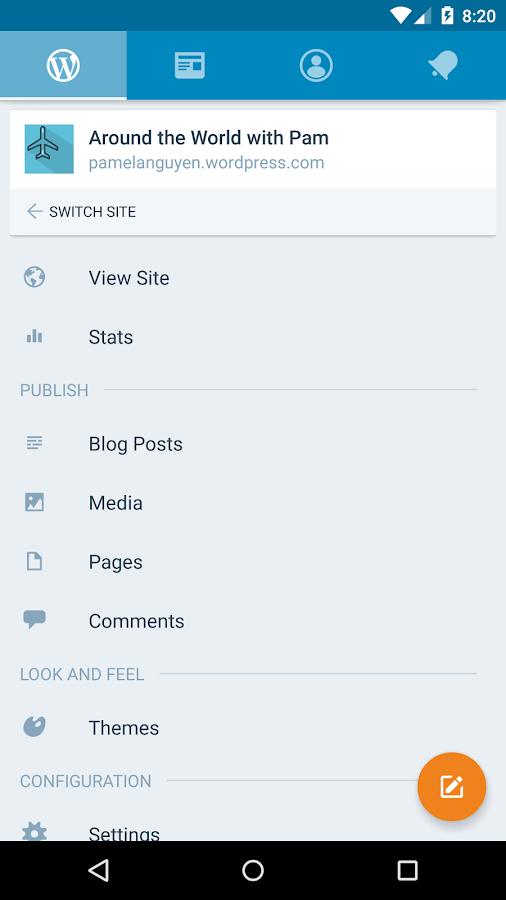
WordPress app made compatible with self-hosted WordPress blogs as well as blogs hosted on WordPress.com, it allows you to perform many essential tasks such as creating, editing and publishing blog posts, moderating comments, checking on analytics data. If your blog powered by WordPress CMS (Content Management System) then once you must try it.

Blogger

Blogger was developed by Google. The Blogger app comes with features that allow early publishing of news posts, adding pictures to your blog entries, and labels. If you have a blog on Blogger, then you should definitely give this app a try. It’s a great way to maintain your blog on the go.


Tumblr

Many bloggers prefer to maintain a Tumblr blog, the working of Tumblr app is also similar to Blogger and WordPress Android apps. You can simply write new topics, draft posts, edit and publish new posts to your blog from your smartphones. This app, made for Tumblr bloggers.


Google Analytics

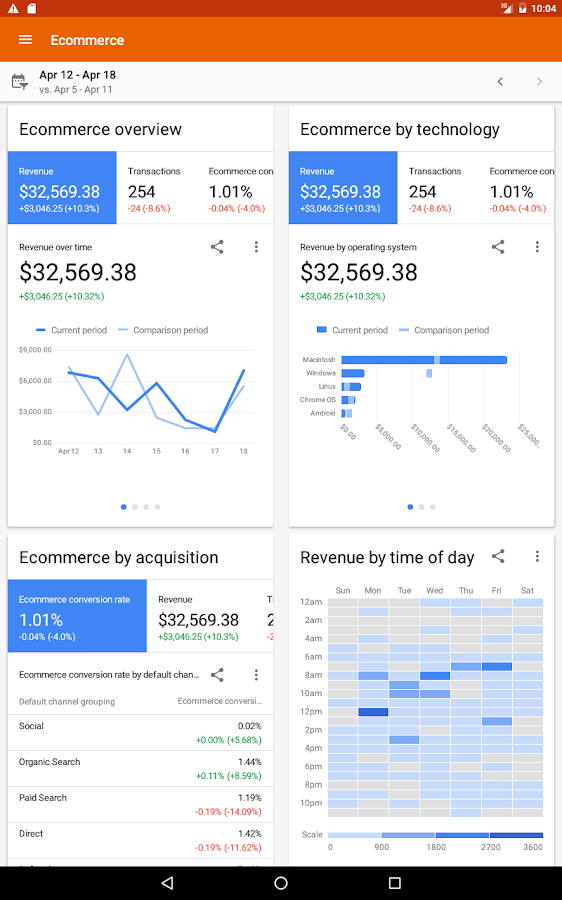
Google Analytics is a simple tool developed by Google Inc. Google Analytics which basically allows you to bring site usage statistics wherever you go. You can easily monitor site visitors, page views, unique users, returning users, session, bounce rate, visitors landing pages, exit pages and more things.


Writer

Writer was designed with simplicity in mind, helping you focus on your next blog post without the unnecessary distractions of traditional word processors. Writer is a stripped-down word processor that aims to solve this problem by providing a distraction-free writing environment within your smartphone or tablet so that you can focus solely on creating text content with peace of mind.


Flipboard

Flipboard is also a great application for bloggers, you can easily keep in touch with new stories, news, videos and images around the world. The app allows users to browse through their Facebook, Twitter and Google+ streams to watch what your friends are posting and can easily share posts with them.


SwiftKey Keyboard

SwiftKey keyboard is a keyboard app with impressive features such as easy to write, great next-word-prediction and auto-correct your typos, etc. You can even personalize the word predictions by asking the keyboard to learn your choice of words on Facebook, Twitter, Gmail and blog posts.


Evernote

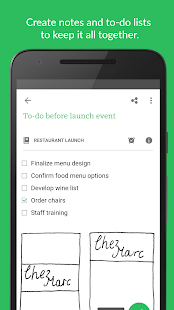
Evernote is an easy to use free app which is very useful to save your ideas, create to-do list, write or copy text, capture images and record audio clips whenever and wherever you want. Along with these features, many other premium features are also available.


Pocket

Pocket allows you to save multimedia sources (such as articles and videos) for later. Useful if you must conduct important research at a later time or while on the go. It provides several reading modes, the ability to organize your saved sources and easily search for them.


Dictionary.com

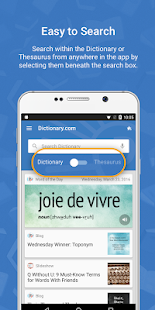
Not sure about the exact meaning of a word that you are going to put into your Blog? Want to know the meaning of a word? Well, Dictionary.com is the solution for these. It has more than 2,000,000 definitions and synonyms from dictionary and Thesaurus.com.


Photo Editor

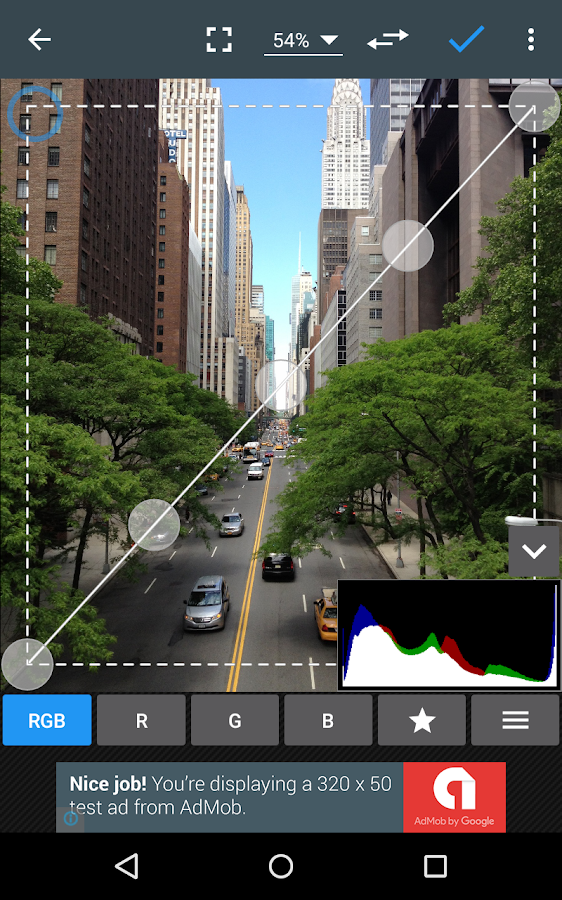
Photo editing tools are essential for bloggers, considering that online publications thrive on visual content. Photo Editor supports everything you could possibly need and expect, from simple cropping to advanced photo enhancing tools.


Hootsuite

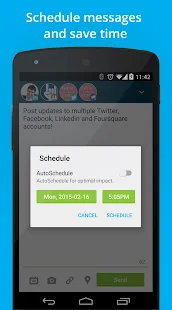
Hootsuite allows you to multi-task. Every blogger knows the importance of spreading their latest blog posts. Manage and schedule posts to multiple social media profiles on Twitter, Facebook, LinkedIn, Instagram and more, all from one app.


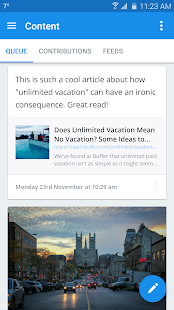
Buffer App

Sharing new posts every time at all the main social sites such as FB, Twitter, Linkedin and Google+ is quite frustrating and time taking task, and this is where Buffer comes to the rescue. Schedule updates across your favorite networks at any given time, whether you’re around or not.


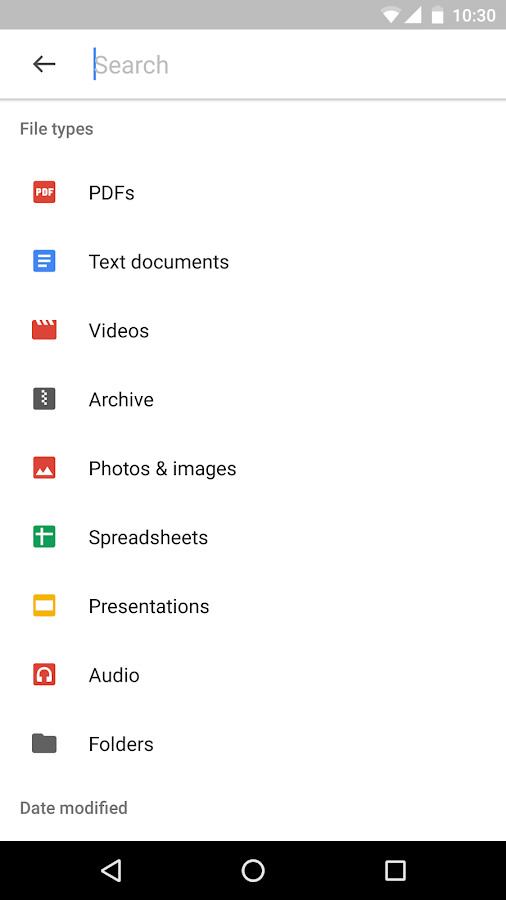
Google Drive

Google Drive allows bloggers to store all kinds of documents including Word documents, Excel spreadsheets, images, audio, videos and many others in the Cloud. Google allows you to upload up to 15GB date in google drive for one Google account, so it’s quite good deal. You can share uploaded files publicly anywhere else on the web.


Feedly

Feedly is RSS feeds reader app. As a blogger, you must keep up with the latest posts from other sources to inspire, educate, and help you grow your blogging business. Feedly is very famous in bloggers and blog writers.


I highly recommended you should try these android blogging apps on your smartphones to make your tasks easier than ever. These apps will help you to publish your new articles when you have no access to your computer or laptop. Do you have experience using the above apps or Am I missed any must have android app for bloggers in this list? Feel free to feedback in the comments section below. 

15 Best Blogging Android Apps Every Blogger Should Have

Blogging has always been about expressing yourself and sharing what you know on the Internet. For many of bloggers is not just a hobby, it...
Off-Page SEO Makes your website to more visible in the web world, So you can increase your popularity by using SEO Off-Page techniques. On-Page SEO Techniques will increase your visibility in Search engines, Off-Page SEO will increases your positions and rankings in SERP, But you need both On-page and Off-Page techniques to boost a website rank in search engine. here the most Trending Off-Page SEO techniques to boost your rankings.

SEO-Off-Page-Techniques

Social Media Engagement
This is one of the the best SEO Off page technique. increase your community in social networking sites and engage people with your content. Social sharing will increase your online presence and it will boost your rankings. here the most Social networking sites


Social Bookmarking
Social bookmarking is one of the best way to promote your content and increase backlinks to your website.after publishing new content on your blog bookmark your website in popular social bookmarking sites, Here the list


Search Engine Submission and Pinging
Search engine submission will helps to index your blog as quick as possible in the major search engines and also ping your blog posts by using blog pinging sites it will increase your website crawl rate and help to quick index


Increase your Link Building Opportunities
Link Building is one of the powerful way to increase keyword positions in SERP. Increase your links by

Directory Submission
Increase your links by choosing appropriate category of your website and submit links to those category by following webmaster guidelines.here the sapm free web directory list


Article Submission
Submit your unique and high quality article to most popular and high page rank article submission sites. submit your article by the guidelines of article submission sites otherwise it will reject.


Forum Posting
Find forums and communities similar to your web category and join in those category and participate in the forum you will get back links by profile and answering queries of people. here the some Forum posting sites list


Recommended: Top Forum Posting Websites List

Guest posting
Guest Posting is also one of the best way to increase your backlinks and your website community, by posting your your content other high authority websites and blogs here the some search queries to find guest blogging.
Keyword + “guest post”
Keyword + “guest author”
Keyword + “write for us”
Keyword + “write for me”
Keyword + “become a contributor”

Recommended: Top High Authority sites that Accepting Guest Posts

Image and Infographic Submission
Create unique images and infographics for your blog content and submit those by using most popular image and infographic websites. it will helps you in image search and rank your content.


Document and PPT Submission
Document and slide submission also one of the best ways to increase the high authority links by creating and promoting content through pdf and ppts using slide and document submission sites.


Video Marketing
Create some useful unique videos and promote by using video sharing sites, through this you can gain traffic and links both.


Recommended: Video Submission sites list

Blog Commenting
Find Best niche web blogs and comment on the latest blog posts, where you can leave your dofollow links. comment on only relevant blogs and posts then only you can increase your referral traffic.

In this post i have covered my level of explanations to SEO Off Page Techniques, Gaining high authority backlinks is most important Part Of SEO, So try to gain links hard and don’t do spam or overdo it.  Hope these technique will use full to increase your rankings.

SEO Off Page Techniques To Boost Website Rankings

Off-Page SEO Makes your website to more visible in the web world, So you can increase your popularity by using SEO Off-Page techniques. On...


Digital Marketing © 2015